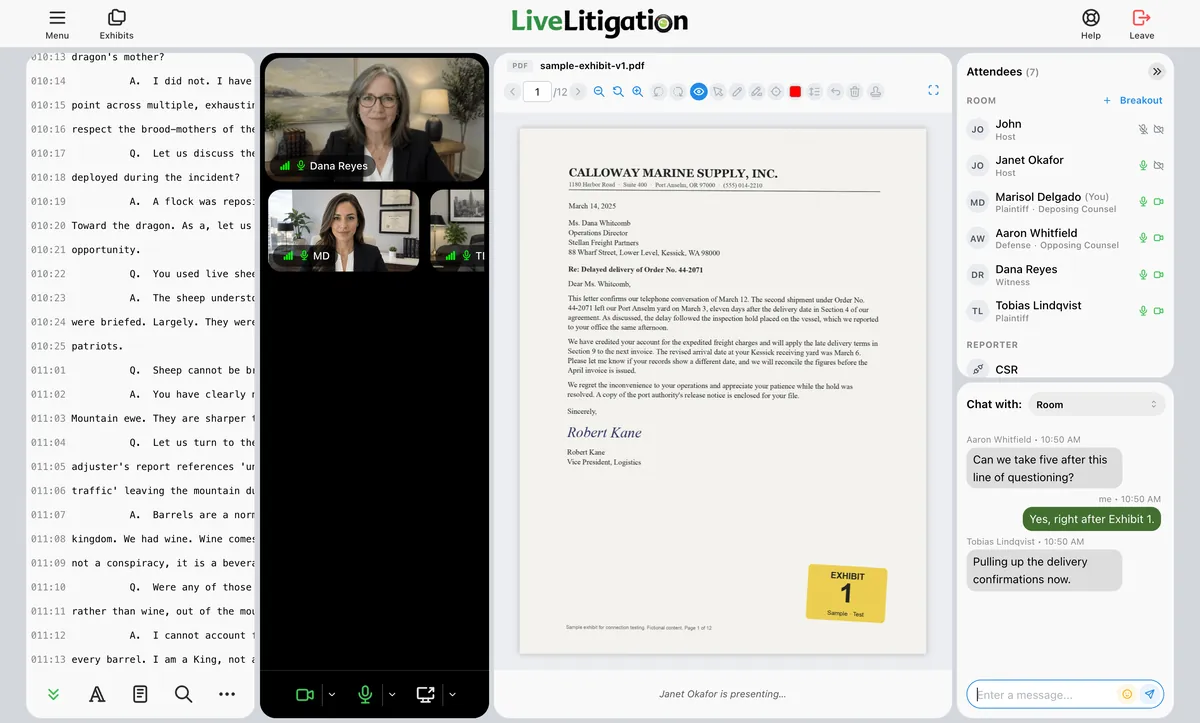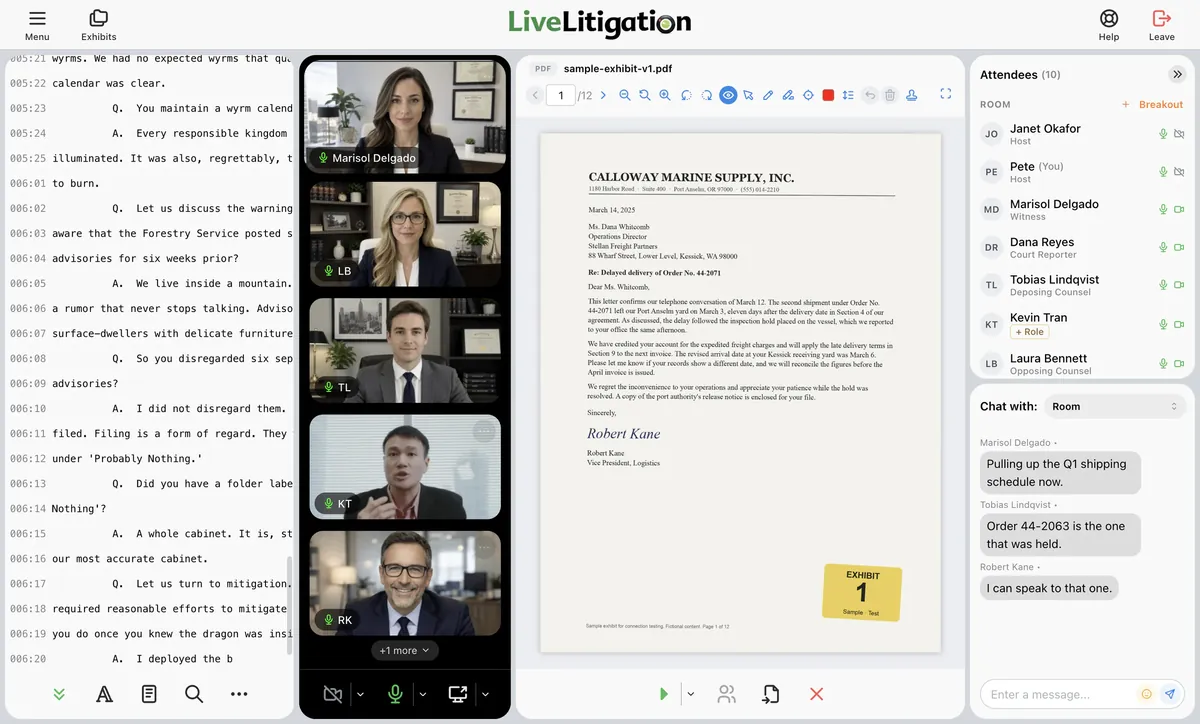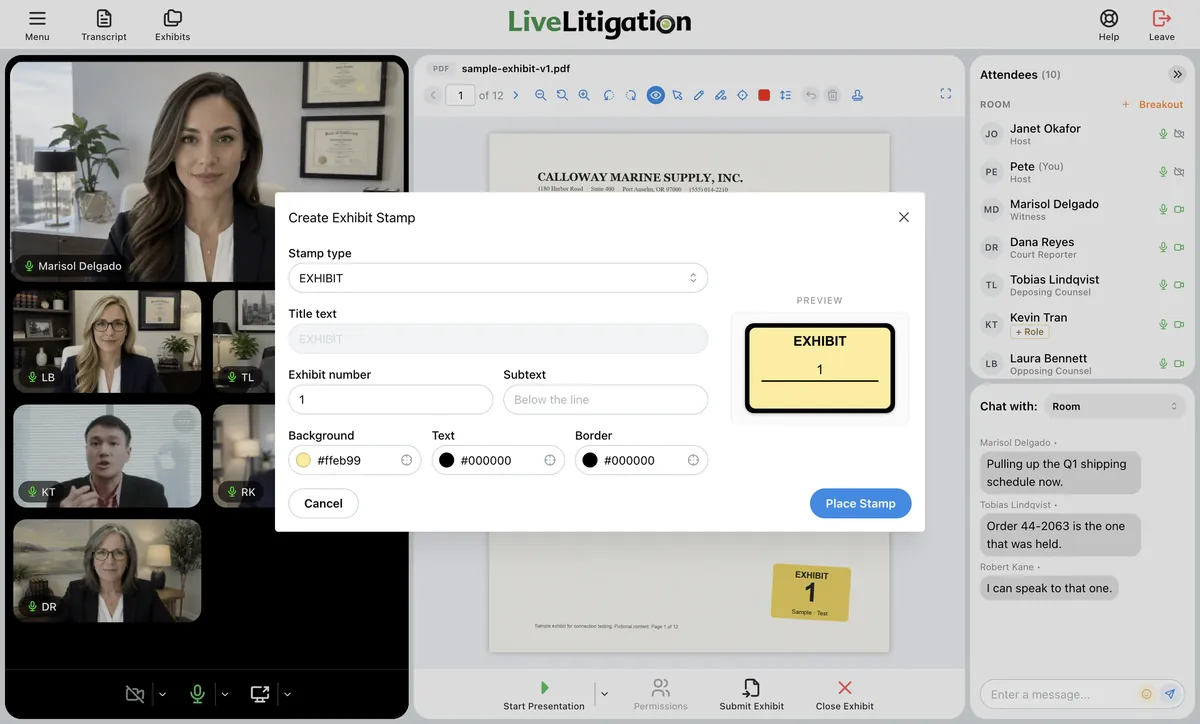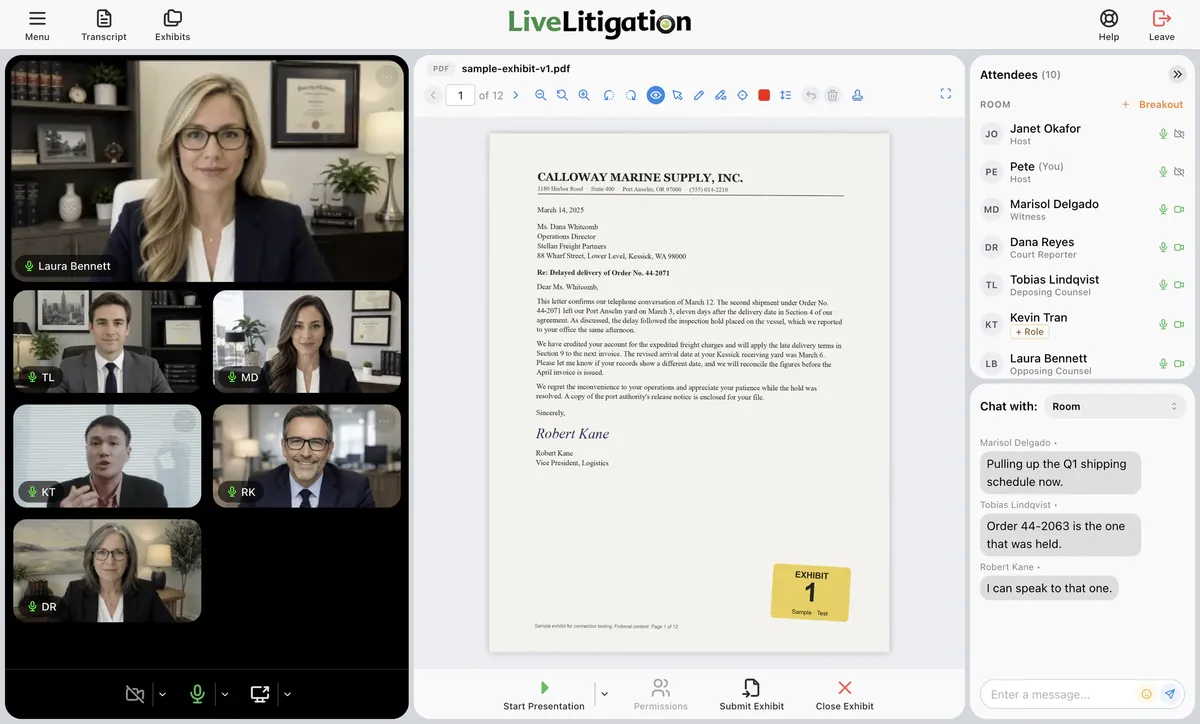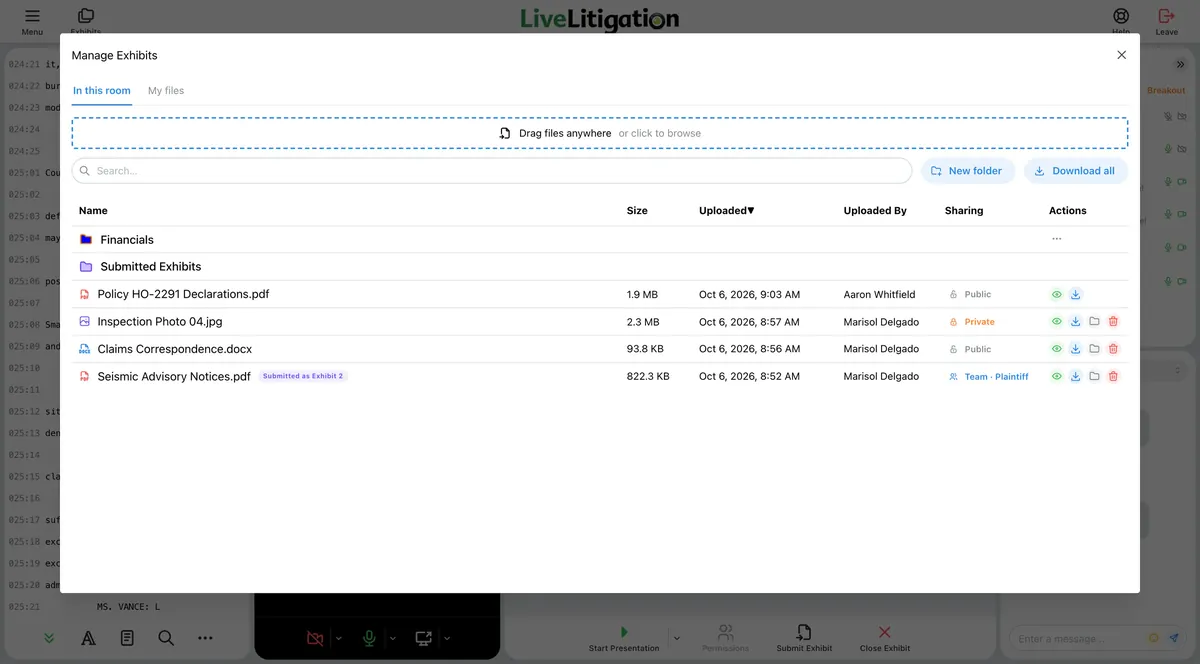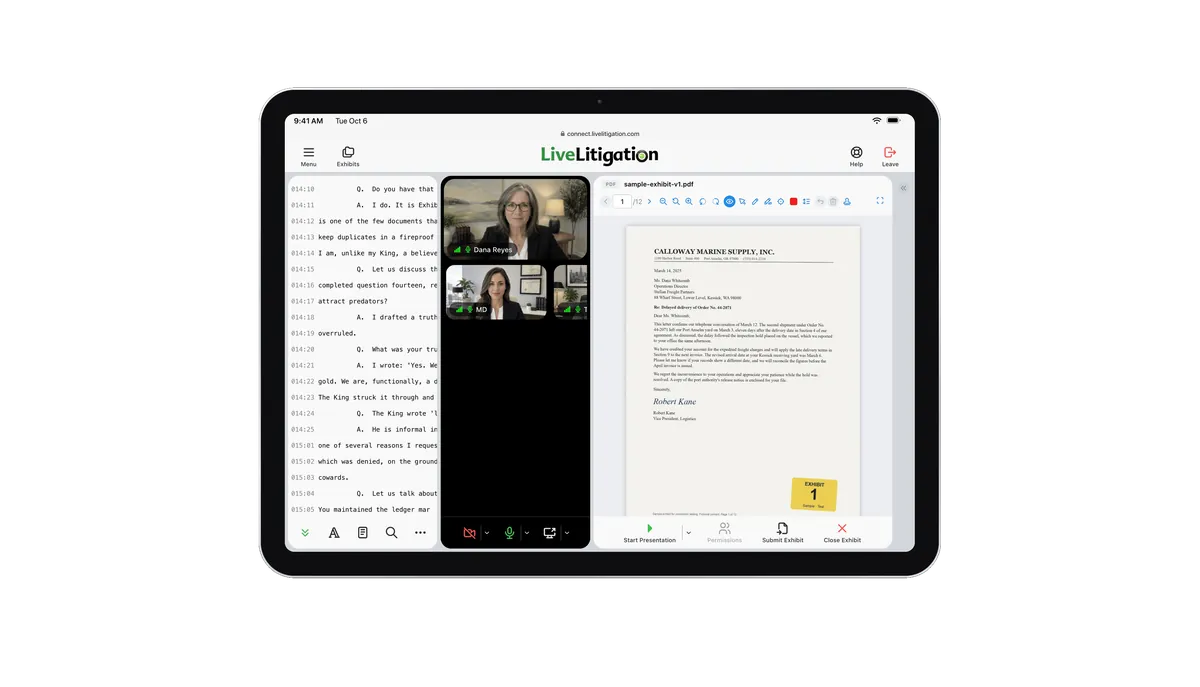
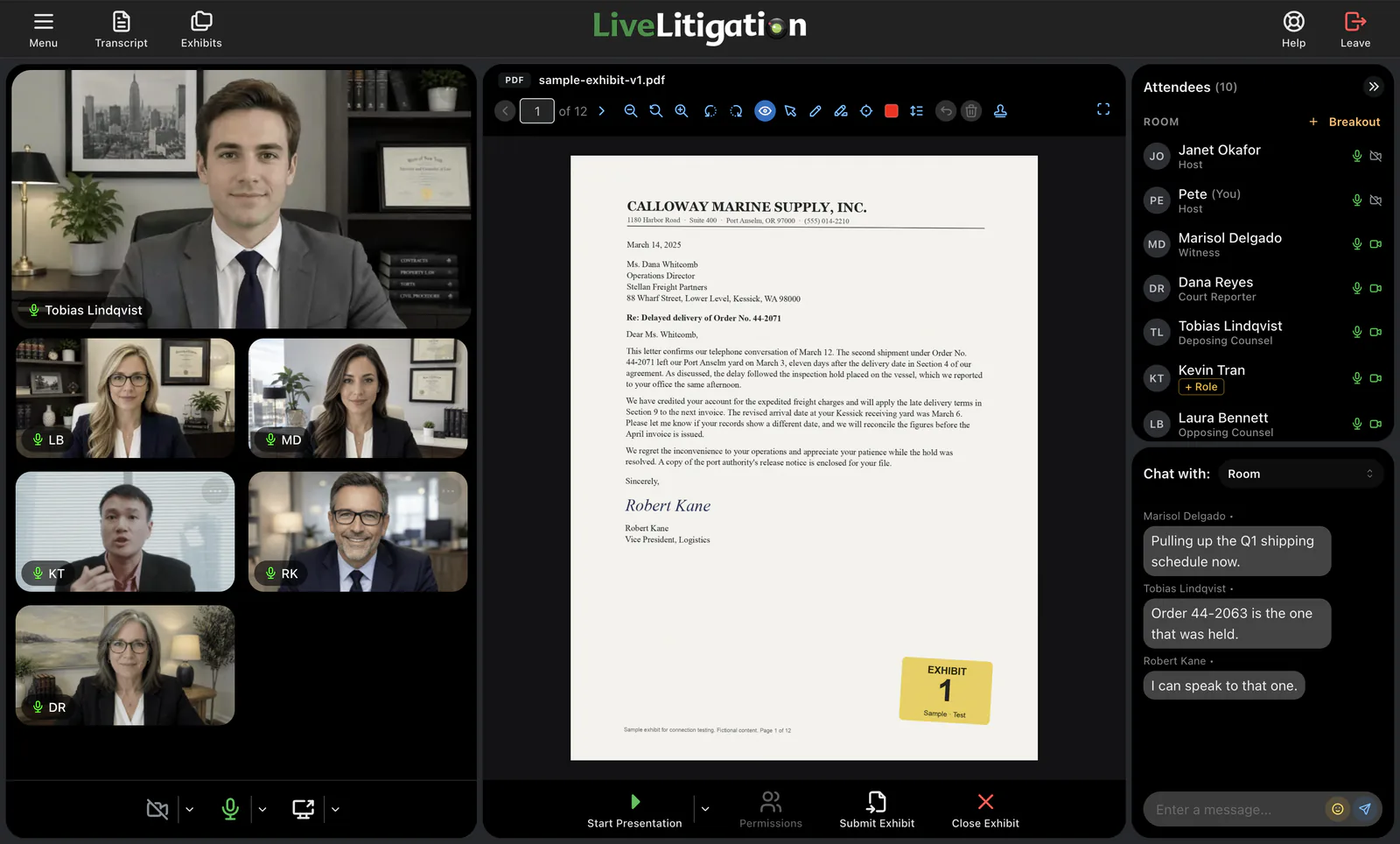
Upload, present, mark up, stamp, and submit exhibits from a computer or tablet. Everyone follows the same exhibit, whether they are in the room or remote. Included with eSuite.
Drag-and-drop uploads
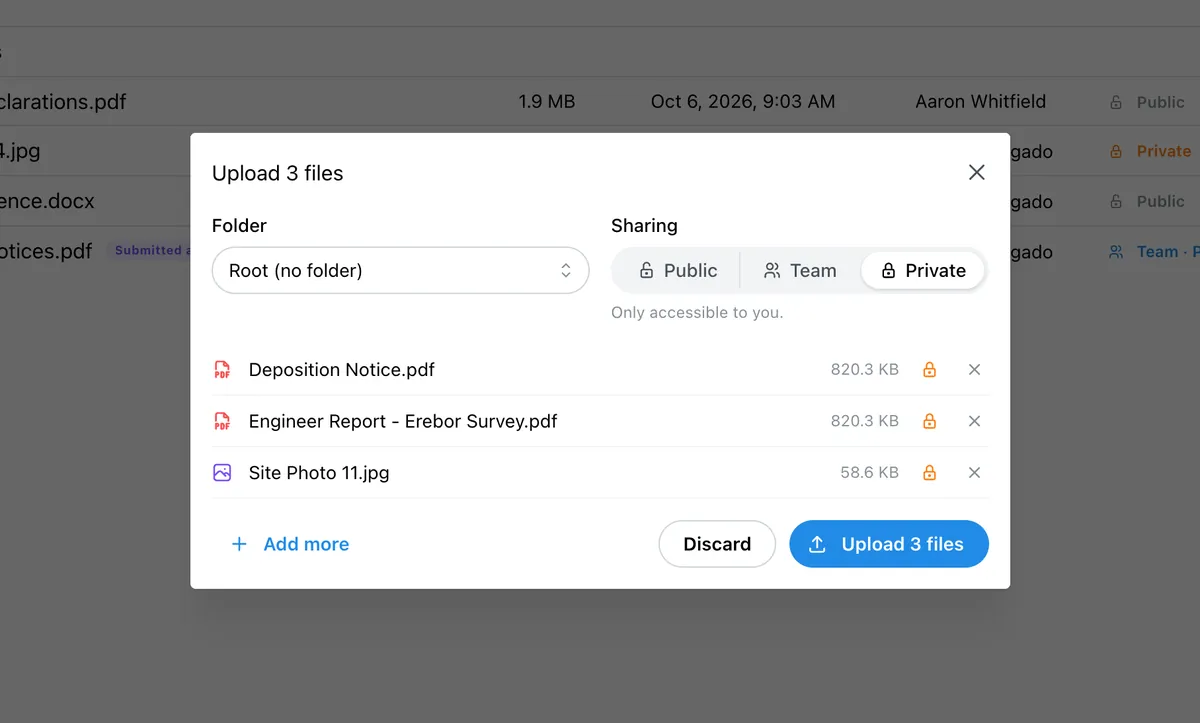
Privacy controls
Interactive documents
Submit for the record
Electronic exhibits are digital versions of your deposition and trial exhibits that you upload, present, mark up, and stamp online instead of handling paper and banker boxes. Instead of pushing files around, every attorney follows the same exhibit live when it is presented, whether they are in the room or joining remotely.
With LiveLitigation you introduce a file, present it, mark it up together, stamp it with the next exhibit number, and submit it for the record, from a computer or tablet. It is digital exhibit management built for how depositions actually run, and it comes with eSuite, LiveLitigation's online deposition platform.
Share, annotate, stamp, and submit with confidence, purpose-built for legal teams.
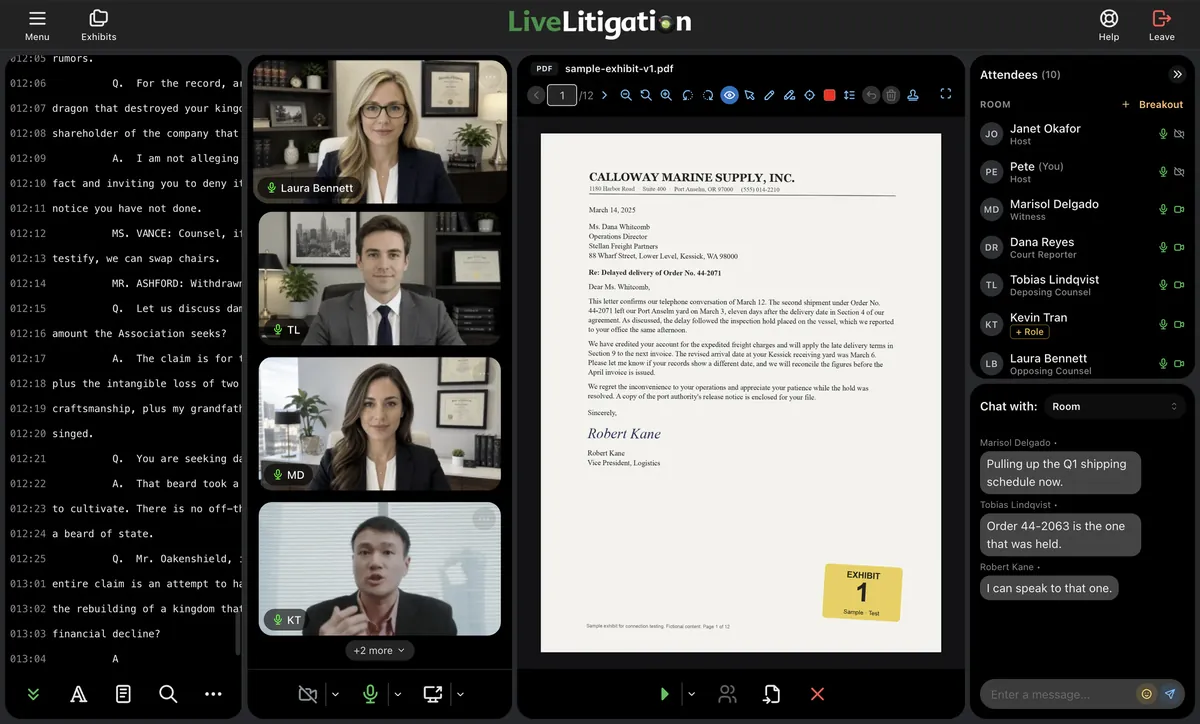
Onsite or remote, everyone follows the presenter's page and zoom, so the whole room is on the same line.
Review exhibits alongside the realtime transcript and live witness video, with no app switching.
Stamp it Exhibit, Plaintiff's, Defendant's or your own header, with the next exhibit number filled in and a line of your own text, then submit it for the record.
Draw, highlight, and zoom everyone to the line that matters. The presenter leads, and can let the witness or co-counsel mark up too. Everyone sees every mark as it is drawn.
Keep your exhibits in folders, and reuse them in every deposition with My Files.
Upload, stamp and submit from a computer or tablet; follow every exhibit on a phone.
A clear interface and a step-by-step online guide get you presenting exhibits in minutes, not hours.
Ditch banker boxes. Upload before the event or add files on the fly during proceedings.
From upload to the record in three simple steps.
Drag and drop PDFs, images, Word, Excel, PowerPoint, video and audio. Video and audio play in sync for everyone. Keep your exhibits in folders, and reuse them in every deposition with My Files.
The presenter leads, and can let the witness or co-counsel mark up too. Everyone sees every mark as it is drawn.
Apply the exhibit stamp, then submit it for the record. Download it, or send it to a linked Clio matter.
You guys put all the tools I need into LiveLitigation. This solution is so much better than Zoom.
Eric W.
NYC Private Justice
It's nice to be able to focus on the case and not the technology.
Katie C.
Milbank
Electronic exhibits are digital versions of deposition and trial exhibits that you upload, present, mark up, and stamp online instead of handling paper. With LiveLitigation you introduce a file, present it, apply an electronic exhibit stamp with the next exhibit number, and submit it for the record.
Yes. When an exhibit is presented, every attendee sees it live, whether onsite or remote. The presenter leads, and can let the witness or co-counsel mark up too. Everyone sees every mark as it is drawn, so there is no pushing files back and forth.
Stamp it Exhibit, Plaintiff's, Defendant's or your own header, with the next exhibit number filled in and a line of your own text, then submit it for the record. Submitted PDFs and images keep every stamp and mark in a new copy. The original is never changed.
PDFs, images, Word, Excel, PowerPoint, video and audio. Video and audio play in sync for everyone.
Yes. Upload, stamp and submit from a computer or tablet, and follow every exhibit on a phone, all in the browser.
Electronic exhibits are included with eSuite, LiveLitigation's online deposition platform.
Electronic exhibits come with eSuite. Our team will help you set up your first deposition. Fill out the form below or call (888) 337-6411.