
Step-by-step instructions for generating usage reports in eSuite.
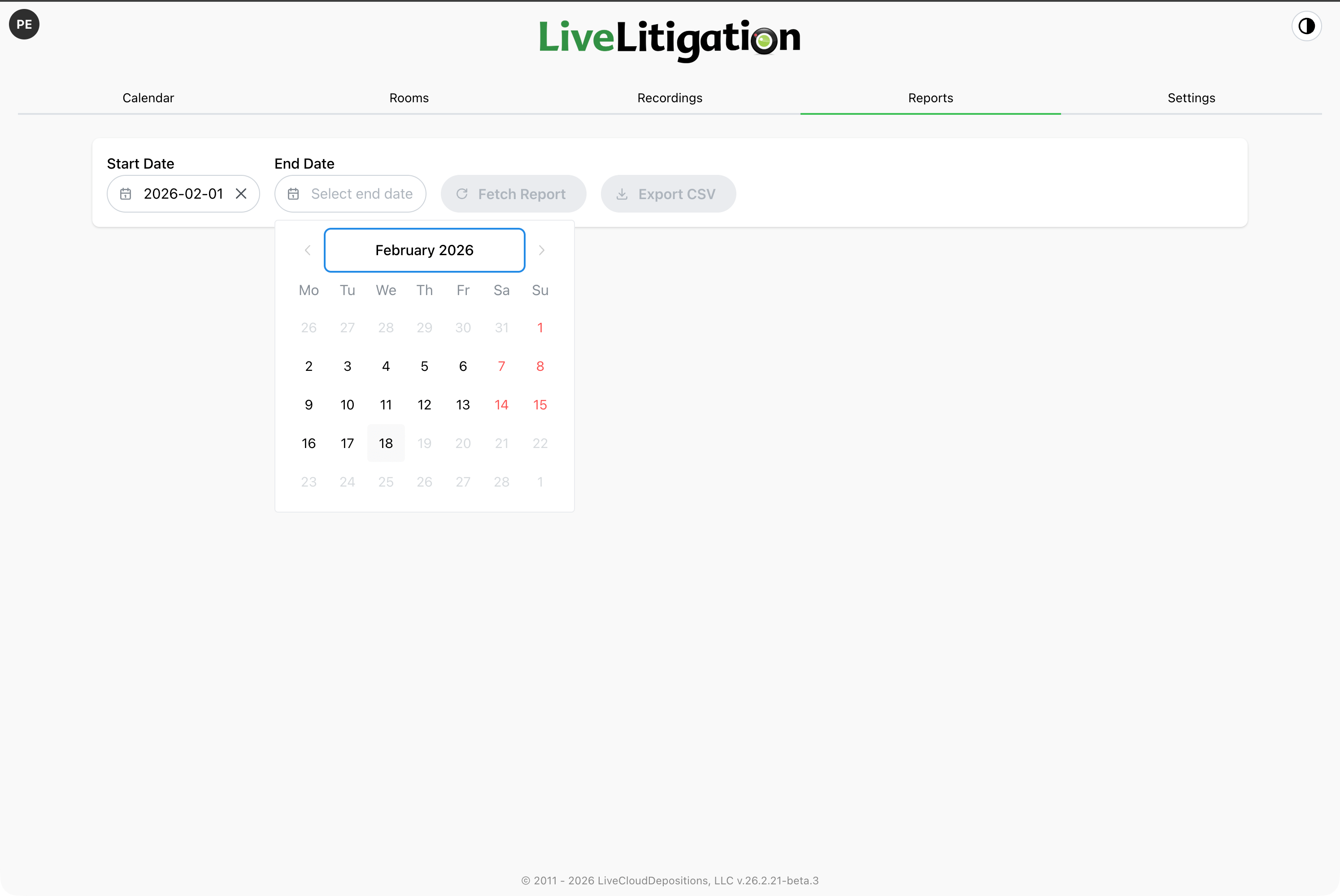
After logging in, click Reports in the navigation menu. Leave it on Usage, and choose a Start Date and End Date for the period you want to review.
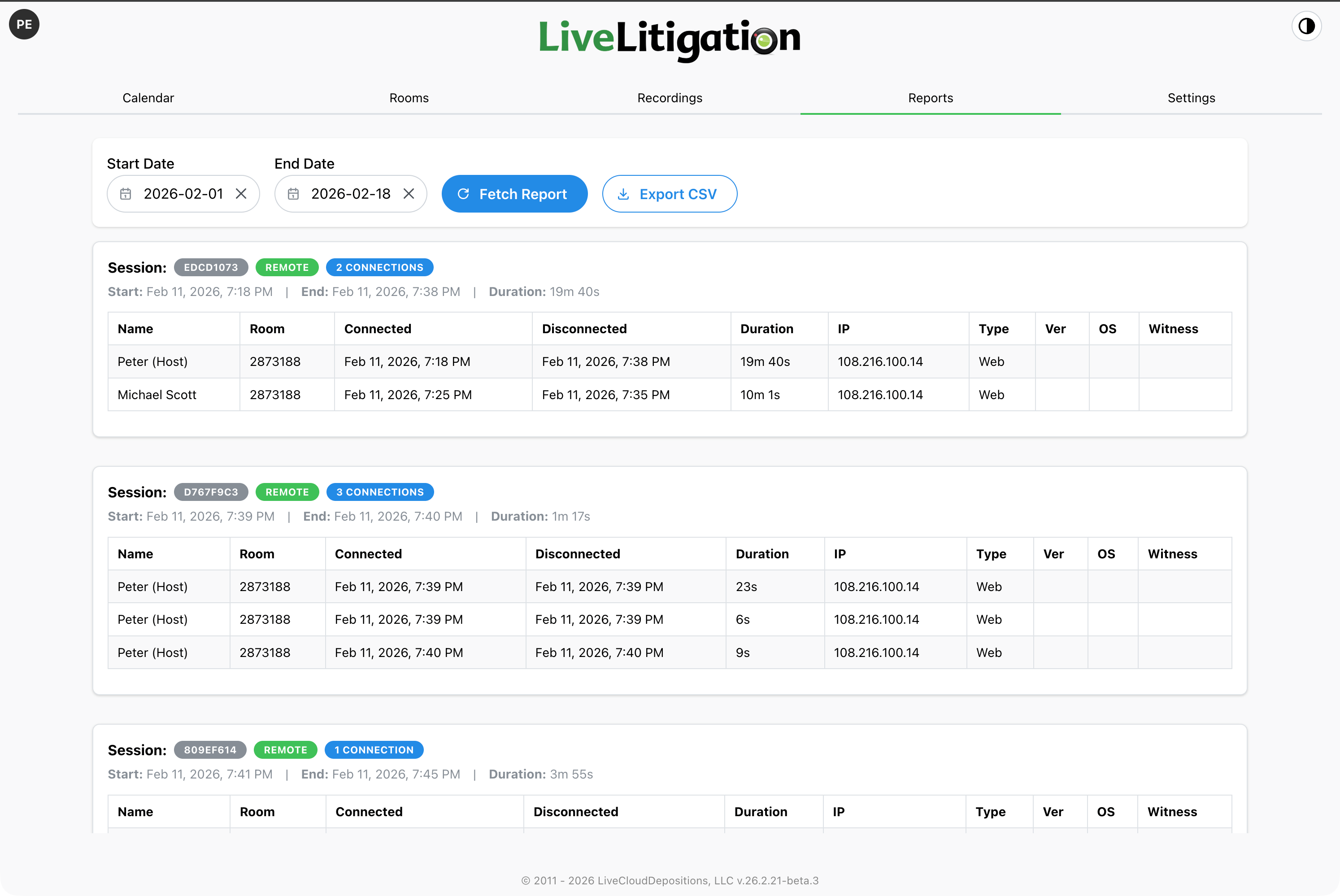
Click Fetch Report. The report opens with totals for the period (sessions, total duration and data usage), then a card for each session with its room, start and end time, duration and data usage, and a row for each person who connected.
Explore the platform